



话不多说, 直接上教程, 需要环境, node 22, python 3.12(可选)
下载codex
# Install using npm
npm install -g @openai/codex
下载Cli-Proxy-API-Management-Center
https://github.com/router-for-me/Cli-Proxy-API-Management-Center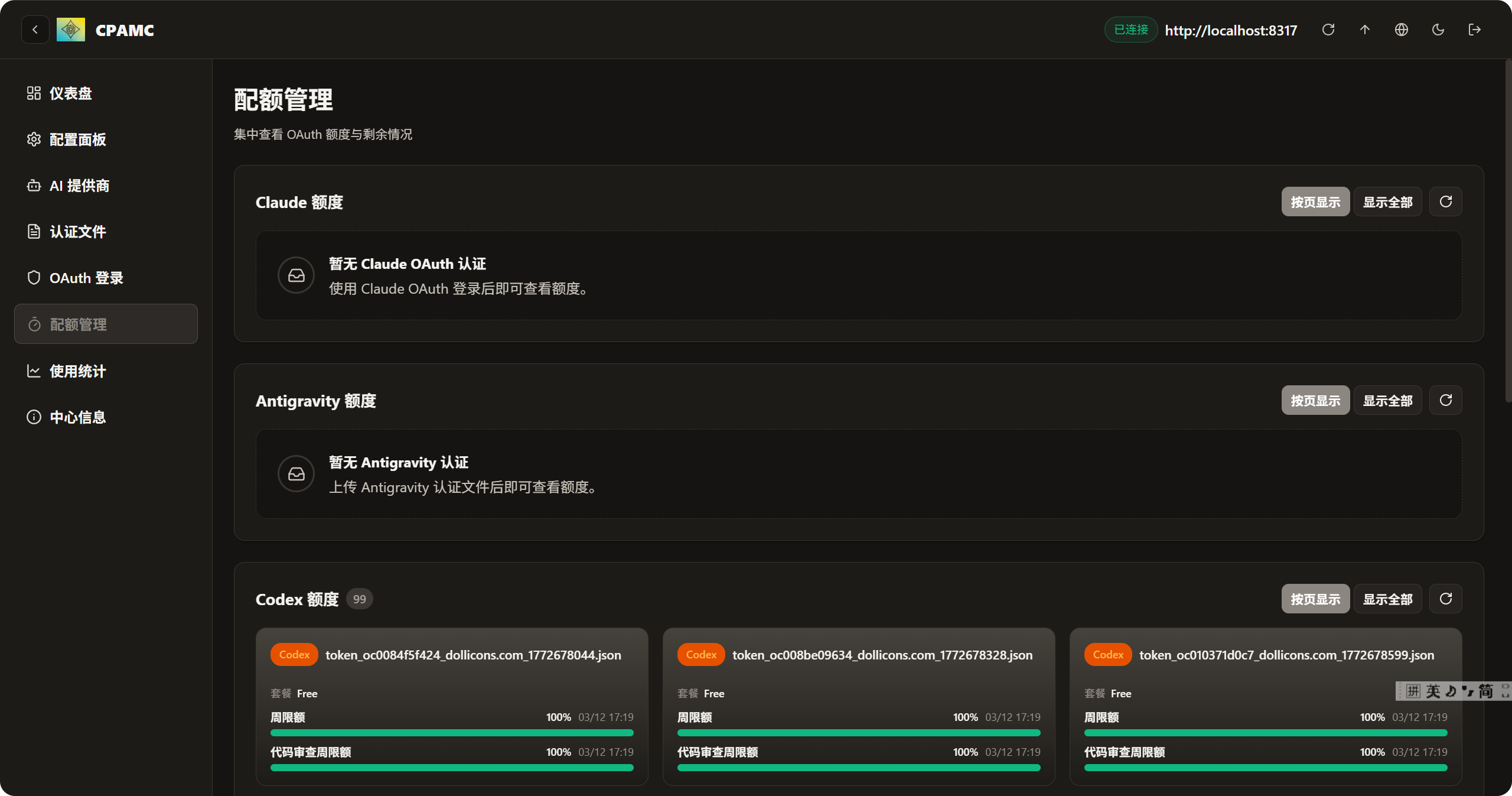
注意事项: 不论是下载源码的形式, 还是可执行文件的形式, 都需要先copy config.exmple.yaml , 然后重命名为 config.yaml, 其他的不用管
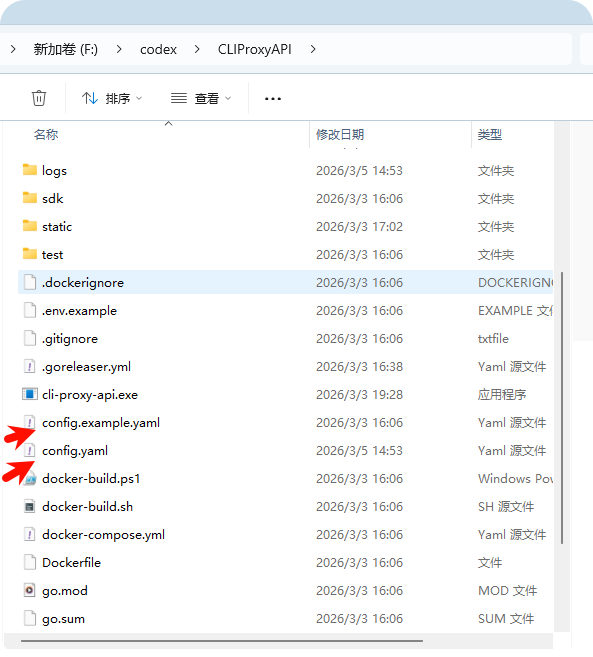
官网有docker 的部署形式, 个人推荐docker, 会docker 的可以捣鼓, 会更块
https://github.com/router-for-me/CLIProxyAPI
config.yaml 文件就参考我的就可以了, 避免踩坑
# Server host/interface to bind to. Default is empty ("") to bind all interfaces (IPv4 + IPv6).

# Use "127.0.0.1" or "localhost" to restrict access to local machine only.

host: "localhost"
# Server port
port: 8317
# TLS settings for HTTPS. When enabled, the server listens with the provided certificate and key.
tls:
  enable: false
  cert: ""
  key: ""
# Management API settings
remote-management:
# Whether to allow remote (non-localhost) management access.

# When false, only localhost can access management endpoints (a key is still required).
  allow-remote: true
# Management key. If a plaintext value is provided here, it will be hashed on startup.

# All management requests (even from localhost) require this key.

# Leave empty to disable the Management API entirely (404 for all /v0/management routes).
  secret-key: "$2a$10$f.hoXZhljt/7IpxIT2CrV.erjon6qOND3vrsffYEGr7lLMWF5.ndu"
# Disable the bundled management control panel asset download and HTTP route when true.
  disable-control-panel: false
# GitHub repository for the management control panel. Accepts a repository URL or releases API URL.
  panel-github-repository: "https://github.com/router-for-me/Cli-Proxy-API-Management-Center"
# Authentication directory (supports ~ for home directory)
auth-dir: "~/.cli-proxy-api"
# API keys for authentication
api-keys:
  - sk-ou9YF5cRSoEe7Vqex
  - sk-kIQnrW3aWQGkM32yE
  - sk-test
# Enable debug logging
debug: false
# Enable pprof HTTP debug server (host:port). Keep it bound to localhost for safety.
pprof:
  enable: false
  addr: "127.0.0.1:8316"
# When true, disable high-overhead HTTP middleware features to reduce per-request memory usage under high concurrency.
commercial-mode: false
# When true, write application logs to rotating files instead of stdout
logging-to-file: true
# Maximum total size (MB) of log files under the logs directory. When exceeded, the oldest log

# files are deleted until within the limit. Set to 0 to disable.
logs-max-total-size-mb: 0
# Maximum number of error log files retained when request logging is disabled.

# When exceeded, the oldest error log files are deleted. Default is 10. Set to 0 to disable cleanup.
error-logs-max-files: 10
# When false, disable in-memory usage statistics aggregation
usage-statistics-enabled: false
# Proxy URL. Supports socks5/http/https protocols. Example: socks5://user:pass@192.168.1.1:1080/
proxy-url: ""
# When true, unprefixed model requests only use credentials without a prefix (except when prefix == model name).
force-model-prefix: false
# When true, forward filtered upstream response headers to downstream clients.

# Default is false (disabled).
passthrough-headers: false
# Number of times to retry a request. Retries will occur if the HTTP response code is 403, 408, 500, 502, 503, or 504.
request-retry: 3
# Maximum number of different credentials to try for one failed request.

# Set to 0 to keep legacy behavior (try all available credentials).
max-retry-credentials: 0
# Maximum wait time in seconds for a cooled-down credential before triggering a retry.
max-retry-interval: 30
# Quota exceeded behavior
quota-exceeded:
  switch-project: true # Whether to automatically switch to another project when a quota is exceeded
  switch-preview-model: true # Whether to automatically switch to a preview model when a quota is exceeded
# Routing strategy for selecting credentials when multiple match.
routing:
  strategy: "round-robin" # round-robin (default), fill-first
# When true, enable authentication for the WebSocket API (/v1/ws).
ws-auth: false
# When > 0, emit blank lines every N seconds for non-streaming responses to prevent idle timeouts.
nonstream-keepalive-interval: 0

# Streaming behavior (SSE keep-alives + safe bootstrap retries).

# streaming:

#   keepalive-seconds: 15   # Default: 0 (disabled). <= 0 disables keep-alives.

#   bootstrap-retries: 1    # Default: 0 (disabled). Retries before first byte is sent.

# Gemini API keys

# gemini-api-key:

#   - api-key: "AIzaSy...01"

#     prefix: "test" # optional: require calls like "test/gemini-3-pro-preview" to target this credential

#     base-url: "https://generativelanguage.googleapis.com"

#     headers:

#       X-Custom-Header: "custom-value"

#     proxy-url: "socks5://proxy.example.com:1080"

#     models:

#       - name: "gemini-2.5-flash" # upstream model name

#         alias: "gemini-flash"    # client alias mapped to the upstream model

#     excluded-models:

#       - "gemini-2.5-pro"     # exclude specific models from this provider (exact match)

#       - "gemini-2.5-*"       # wildcard matching prefix (e.g. gemini-2.5-flash, gemini-2.5-pro)

#       - "*-preview"          # wildcard matching suffix (e.g. gemini-3-pro-preview)

#       - "*flash*"            # wildcard matching substring (e.g. gemini-2.5-flash-lite)

#   - api-key: "AIzaSy...02"

# Codex API keys

# codex-api-key:

#   - api-key: "sk-atSM..."

#     prefix: "test" # optional: require calls like "test/gpt-5-codex" to target this credential

#     base-url: "https://www.example.com" # use the custom codex API endpoint

#     headers:

#       X-Custom-Header: "custom-value"

#     proxy-url: "socks5://proxy.example.com:1080" # optional: per-key proxy override

#     models:

#       - name: "gpt-5-codex"   # upstream model name

#         alias: "codex-latest" # client alias mapped to the upstream model

#     excluded-models:

#       - "gpt-5.1"         # exclude specific models (exact match)

#       - "gpt-5-*"         # wildcard matching prefix (e.g. gpt-5-medium, gpt-5-codex)

#       - "*-mini"          # wildcard matching suffix (e.g. gpt-5-codex-mini)

#       - "*codex*"         # wildcard matching substring (e.g. gpt-5-codex-low)

# Claude API keys

# claude-api-key:

#   - api-key: "sk-atSM..." # use the official claude API key, no need to set the base url

#   - api-key: "sk-atSM..."

#     prefix: "test" # optional: require calls like "test/claude-sonnet-latest" to target this credential

#     base-url: "https://www.example.com" # use the custom claude API endpoint

#     headers:

#       X-Custom-Header: "custom-value"

#     proxy-url: "socks5://proxy.example.com:1080" # optional: per-key proxy override

#     models:

#       - name: "claude-3-5-sonnet-20241022" # upstream model name

#         alias: "claude-sonnet-latest"      # client alias mapped to the upstream model

#     excluded-models:

#       - "claude-opus-4-5-20251101" # exclude specific models (exact match)

#       - "claude-3-*"               # wildcard matching prefix (e.g. claude-3-7-sonnet-20250219)

#       - "*-thinking"               # wildcard matching suffix (e.g. claude-opus-4-5-thinking)

#       - "*haiku*"                  # wildcard matching substring (e.g. claude-3-5-haiku-20241022)

#     cloak:                         # optional: request cloaking for non-Claude-Code clients

#       mode: "auto"                 # "auto" (default): cloak only when client is not Claude Code

#                                    # "always": always apply cloaking

#                                    # "never": never apply cloaking

#       strict-mode: false           # false (default): prepend Claude Code prompt to user system messages

#                                    # true: strip all user system messages, keep only Claude Code prompt

#       sensitive-words:             # optional: words to obfuscate with zero-width characters

#         - "API"

#         - "proxy"

#       cache-user-id: true          # optional: default is false; set true to reuse cached user_id per API key instead of generating a random one each request

# Default headers for Claude API requests. Update when Claude Code releases new versions.

# These are used as fallbacks when the client does not send its own headers.

# claude-header-defaults:

#   user-agent: "claude-cli/2.1.44 (external, sdk-cli)"

#   package-version: "0.74.0"

#   runtime-version: "v24.3.0"

#   timeout: "600"

# OpenAI compatibility providers

# openai-compatibility:

#   - name: "openrouter" # The name of the provider; it will be used in the user agent and other places.

#     prefix: "test" # optional: require calls like "test/kimi-k2" to target this provider's credentials

#     base-url: "https://openrouter.ai/api/v1" # The base URL of the provider.

#     headers:

#       X-Custom-Header: "custom-value"

#     api-key-entries:

#       - api-key: "sk-or-v1-...b780"

#         proxy-url: "socks5://proxy.example.com:1080" # optional: per-key proxy override

#       - api-key: "sk-or-v1-...b781" # without proxy-url

#     models: # The models supported by the provider.

#       - name: "moonshotai/kimi-k2:free" # The actual model name.

#         alias: "kimi-k2" # The alias used in the API.

# Vertex API keys (Vertex-compatible endpoints, use API key + base URL)

# vertex-api-key:

#   - api-key: "vk-123..."                        # x-goog-api-key header

#     prefix: "test"                              # optional: require calls like "test/vertex-pro" to target this credential

#     base-url: "https://example.com/api"         # e.g. https://zenmux.ai/api

#     proxy-url: "socks5://proxy.example.com:1080" # optional per-key proxy override

#     headers:

#       X-Custom-Header: "custom-value"

#     models:                                     # optional: map aliases to upstream model names

#       - name: "gemini-2.5-flash"                # upstream model name

#         alias: "vertex-flash"                   # client-visible alias

#       - name: "gemini-2.5-pro"

#         alias: "vertex-pro"

# Amp Integration

# ampcode:

#   # Configure upstream URL for Amp CLI OAuth and management features

#   upstream-url: "https://ampcode.com"

#   # Optional: Override API key for Amp upstream (otherwise uses env or file)

#   upstream-api-key: ""

#   # Per-client upstream API key mapping

#   # Maps client API keys (from top-level api-keys) to different Amp upstream API keys.

#   # Useful when different clients need to use different Amp accounts/quotas.

#   # If a client key isn't mapped, falls back to upstream-api-key (default behavior).

#   upstream-api-keys:

#     - upstream-api-key: "amp_key_for_team_a"    # Upstream key to use for these clients

#       api-keys:                                 # Client keys that use this upstream key

#         - "your-api-key-1"

#         - "your-api-key-2"

#     - upstream-api-key: "amp_key_for_team_b"

#       api-keys:

#         - "your-api-key-3"

#   # Restrict Amp management routes (/api/auth, /api/user, etc.) to localhost only (default: false)

#   restrict-management-to-localhost: false

#   # Force model mappings to run before checking local API keys (default: false)

#   force-model-mappings: false

#   # Amp Model Mappings

#   # Route unavailable Amp models to alternative models available in your local proxy.

#   # Useful when Amp CLI requests models you don't have access to (e.g., Claude Opus 4.5)

#   # but you have a similar model available (e.g., Claude Sonnet 4).

#   model-mappings:

#     - from: "claude-opus-4-5-20251101"          # Model requested by Amp CLI

#       to: "gemini-claude-opus-4-5-thinking"     # Route to this available model instead

#     - from: "claude-sonnet-4-5-20250929"

#       to: "gemini-claude-sonnet-4-5-thinking"

#     - from: "claude-haiku-4-5-20251001"

#       to: "gemini-2.5-flash"

# Global OAuth model name aliases (per channel)

# These aliases rename model IDs for both model listing and request routing.

# Supported channels: gemini-cli, vertex, aistudio, antigravity, claude, codex, qwen, iflow, kimi.

# NOTE: Aliases do not apply to gemini-api-key, codex-api-key, claude-api-key, openai-compatibility, vertex-api-key, or ampcode.

# You can repeat the same name with different aliases to expose multiple client model names.

# oauth-model-alias:

#   gemini-cli:

#     - name: "gemini-2.5-pro"          # original model name under this channel

#       alias: "g2.5p"                  # client-visible alias

#       fork: true                      # when true, keep original and also add the alias as an extra model (default: false)

#   vertex:

#     - name: "gemini-2.5-pro"

#       alias: "g2.5p"

#   aistudio:

#     - name: "gemini-2.5-pro"

#       alias: "g2.5p"

#   antigravity:

#     - name: "gemini-3-pro-high"

#       alias: "gemini-3-pro-preview"

#   claude:

#     - name: "claude-sonnet-4-5-20250929"

#       alias: "cs4.5"

#   codex:

#     - name: "gpt-5"

#       alias: "g5"

#   qwen:

#     - name: "qwen3-coder-plus"

#       alias: "qwen-plus"

#   iflow:

#     - name: "glm-4.7"

#       alias: "glm-god"

#   kimi:

#     - name: "kimi-k2.5"

#       alias: "k2.5"

# OAuth provider excluded models

# oauth-excluded-models:

#   gemini-cli:

#     - "gemini-2.5-pro"     # exclude specific models (exact match)

#     - "gemini-2.5-*"       # wildcard matching prefix (e.g. gemini-2.5-flash, gemini-2.5-pro)

#     - "*-preview"          # wildcard matching suffix (e.g. gemini-3-pro-preview)

#     - "*flash*"            # wildcard matching substring (e.g. gemini-2.5-flash-lite)

#   vertex:

#     - "gemini-3-pro-preview"

#   aistudio:

#     - "gemini-3-pro-preview"

#   antigravity:

#     - "gemini-3-pro-preview"

#   claude:

#     - "claude-3-5-haiku-20241022"

#   codex:

#     - "gpt-5-codex-mini"

#   qwen:

#     - "vision-model"

#   iflow:

#     - "tstars2.0"

#   kimi:

#     - "kimi-k2-thinking"

# Optional payload configuration

# payload:

#   default: # Default rules only set parameters when they are missing in the payload.

#     - models:

#         - name: "gemini-2.5-pro" # Supports wildcards (e.g., "gemini-*")

#           protocol: "gemini" # restricts the rule to a specific protocol, options: openai, gemini, claude, codex, antigravity

#       params: # JSON path (gjson/sjson syntax) -> value

#         "generationConfig.thinkingConfig.thinkingBudget": 32768

#   default-raw: # Default raw rules set parameters using raw JSON when missing (must be valid JSON).

#     - models:

#         - name: "gemini-2.5-pro" # Supports wildcards (e.g., "gemini-*")

#           protocol: "gemini" # restricts the rule to a specific protocol, options: openai, gemini, claude, codex, antigravity

#       params: # JSON path (gjson/sjson syntax) -> raw JSON value (strings are used as-is, must be valid JSON)

#         "generationConfig.responseJsonSchema": "{\"type\":\"object\",\"properties\":{\"answer\":{\"type\":\"string\"}}}"

#   override: # Override rules always set parameters, overwriting any existing values.

#     - models:

#         - name: "gpt-*" # Supports wildcards (e.g., "gpt-*")

#           protocol: "codex" # restricts the rule to a specific protocol, options: openai, gemini, claude, codex, antigravity

#       params: # JSON path (gjson/sjson syntax) -> value

#         "reasoning.effort": "high"

#   override-raw: # Override raw rules always set parameters using raw JSON (must be valid JSON).

#     - models:

#         - name: "gpt-*" # Supports wildcards (e.g., "gpt-*")

#           protocol: "codex" # restricts the rule to a specific protocol, options: openai, gemini, claude, codex, antigravity

#       params: # JSON path (gjson/sjson syntax) -> raw JSON value (strings are used as-is, must be valid JSON)

#         "response_format": "{\"type\":\"json_schema\",\"json_schema\":{\"name\":\"answer\",\"schema\":{\"type\":\"object\"}}}"

#   filter: # Filter rules remove specified parameters from the payload.

#     - models:

#         - name: "gemini-2.5-pro" # Supports wildcards (e.g., "gemini-*")

#           protocol: "gemini" # restricts the rule to a specific protocol, options: openai, gemini, claude, codex, antigravity

#       params: # JSON paths (gjson/sjson syntax) to remove from the payload

#         - "generationConfig.thinkingConfig.thinkingBudget"

#         - "generationConfig.responseJsonSchema"
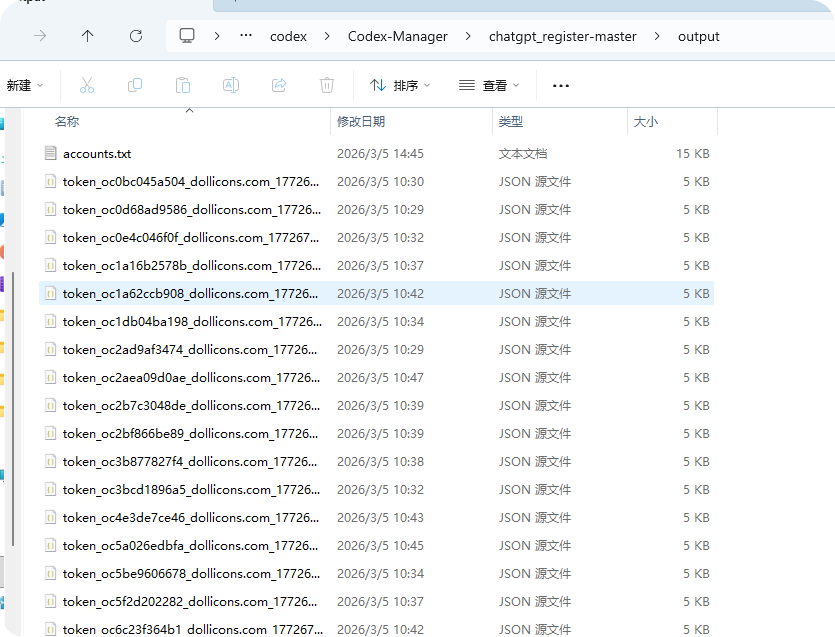
启动完毕后, 我们下载gpt.py 脚本, 一键自动注册账号, 生成的账号信息json 文件, 大概长这样
紧接着上传文件 (ctrl + A) 可以一键上传
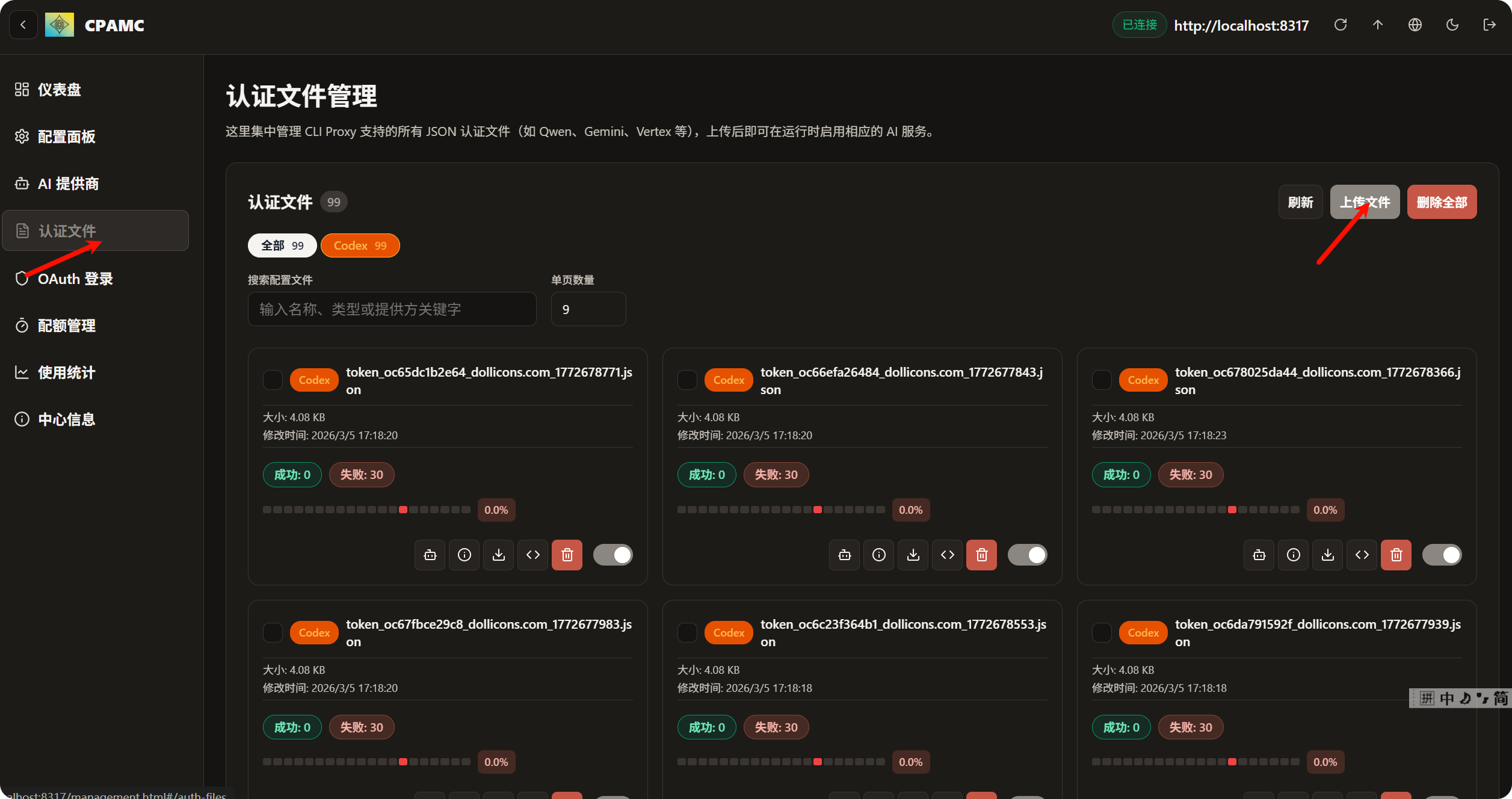
上传完毕后, 最关键的一步来了, 配置代理, 不配置代理, 接口不会报错, 也不会响应直到超时
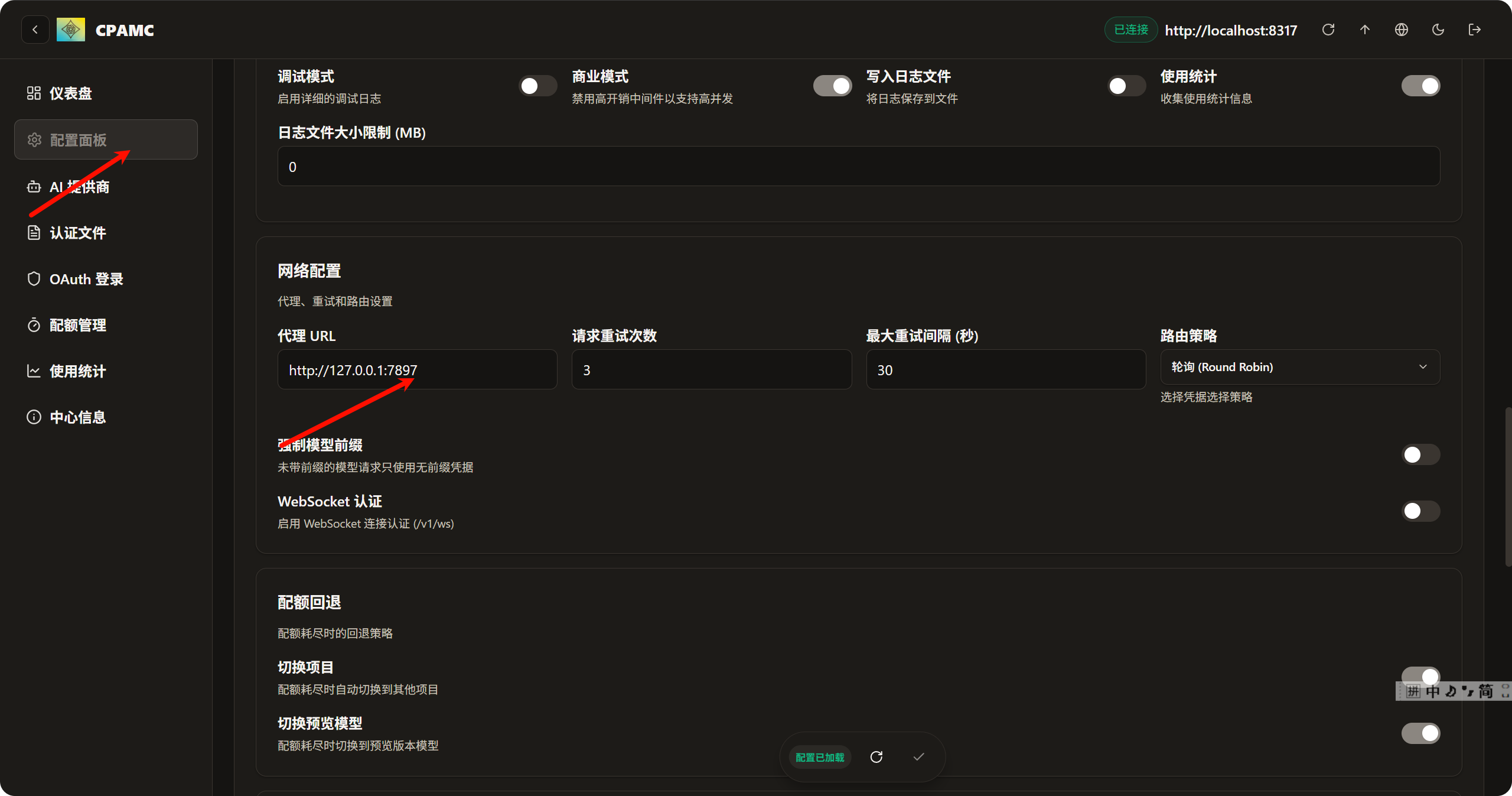
这里的代理接口需要配置软件的代理, 因为我用的是clash verge, 我的代理端口是7897
这些搞定之后, 就要开始配置codex 的 配置了 , 一般情况下, codex 的 配置文件在 C:\Users\用户名\.codex, 主要是更改 auth.json, config.toml
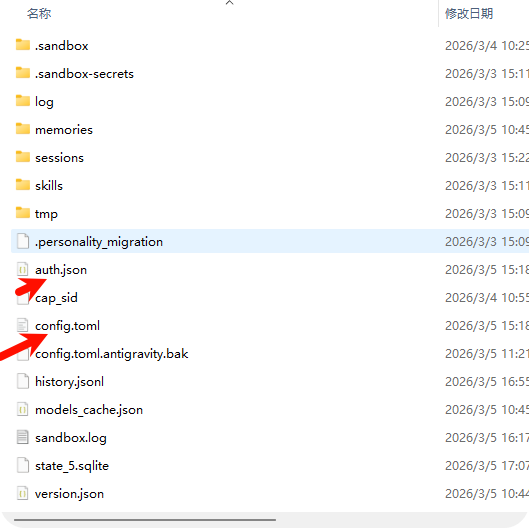
auth.json
{
  "OPENAI_API_KEY": "your_api_key"
}
config.toml
model_provider = "custom"
model = "gpt-5.3-codex"
disable_response_storage = true
model_reasoning_effort = "medium"

[model_providers.custom]
name = "custom"
wire_api = "responses"
requires_openai_auth = true
base_url = "http://localhost:8317/v1"
model_reasoning_effort = "medium"
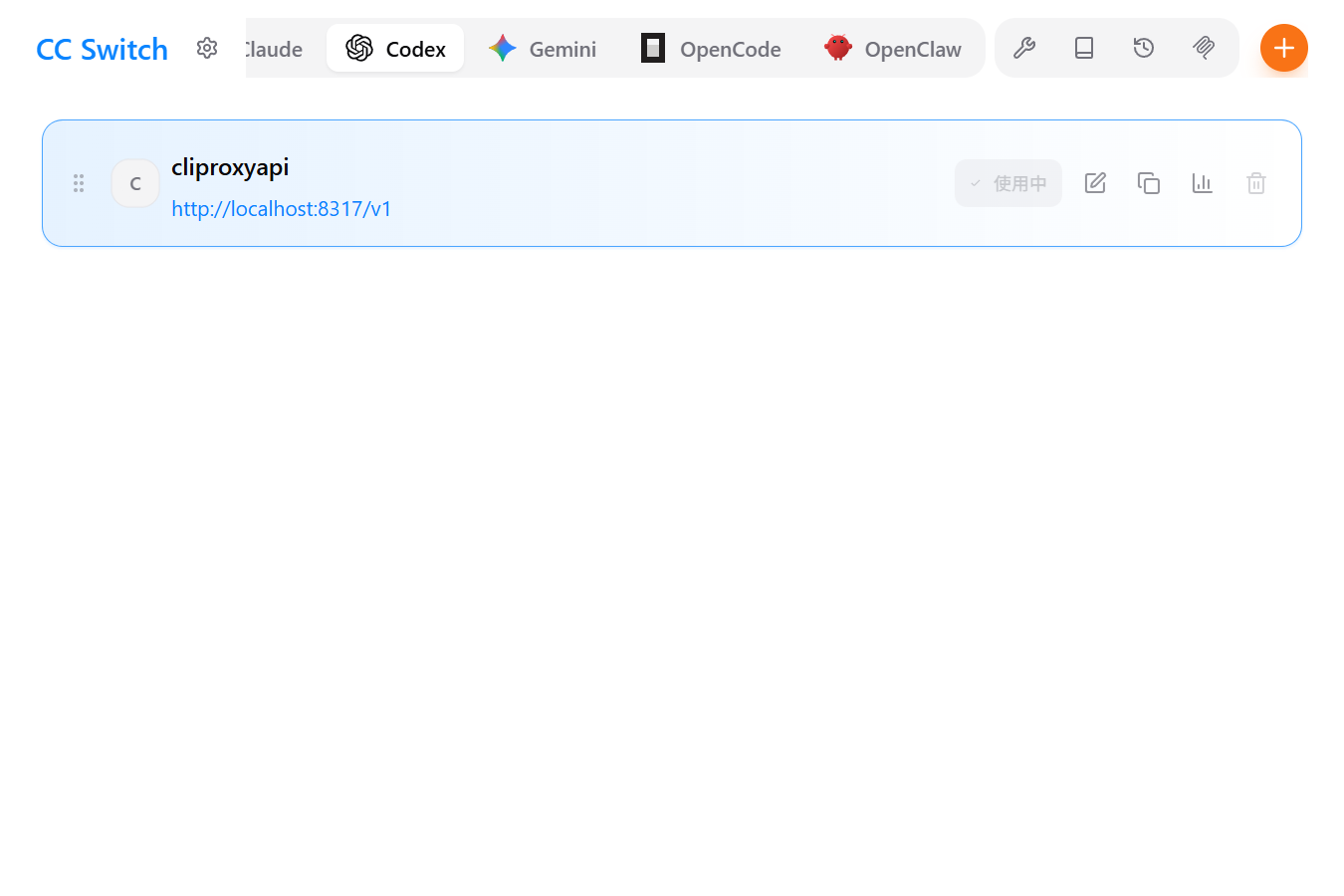
你也可以选择下载 cc s, 一键管理 所有cli 的配置
https://github.com/farion1231/cc-switch/releases/tag/v3.11.1
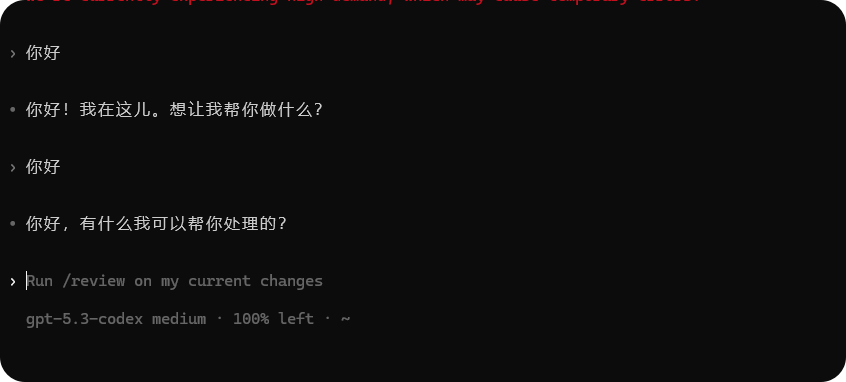
然后就可以愉快的开始coding了
原创
baipiao Codex 教程
本文采用 CC BY-NC-SA 4.0 许可协议,转载请注明出处。
评论交流
欢迎留下你的想法